
12. How to change your cPanel theme
NOTE: Currently, there is only one theme!
This demo assumes you've already logged in to cPanel, and are starting on the home screen.
Now let's learn how to change cPanel's theme.
Click the "Switch Theme" dropdown box.
Changing your control panel style does not change any functionality, only the way it looks.
Select a different theme from the dropdown menu.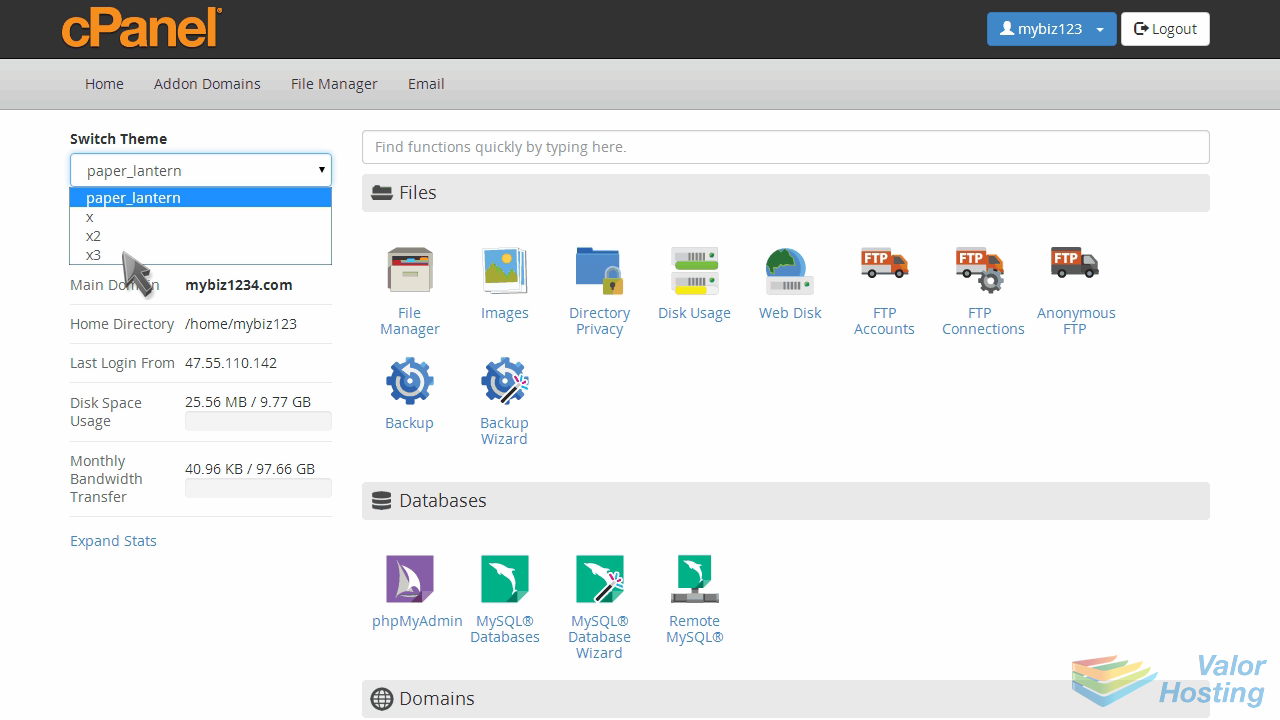
That's it! As you can see, the look of our control panel has changed.
To change it back, simply repeat the process.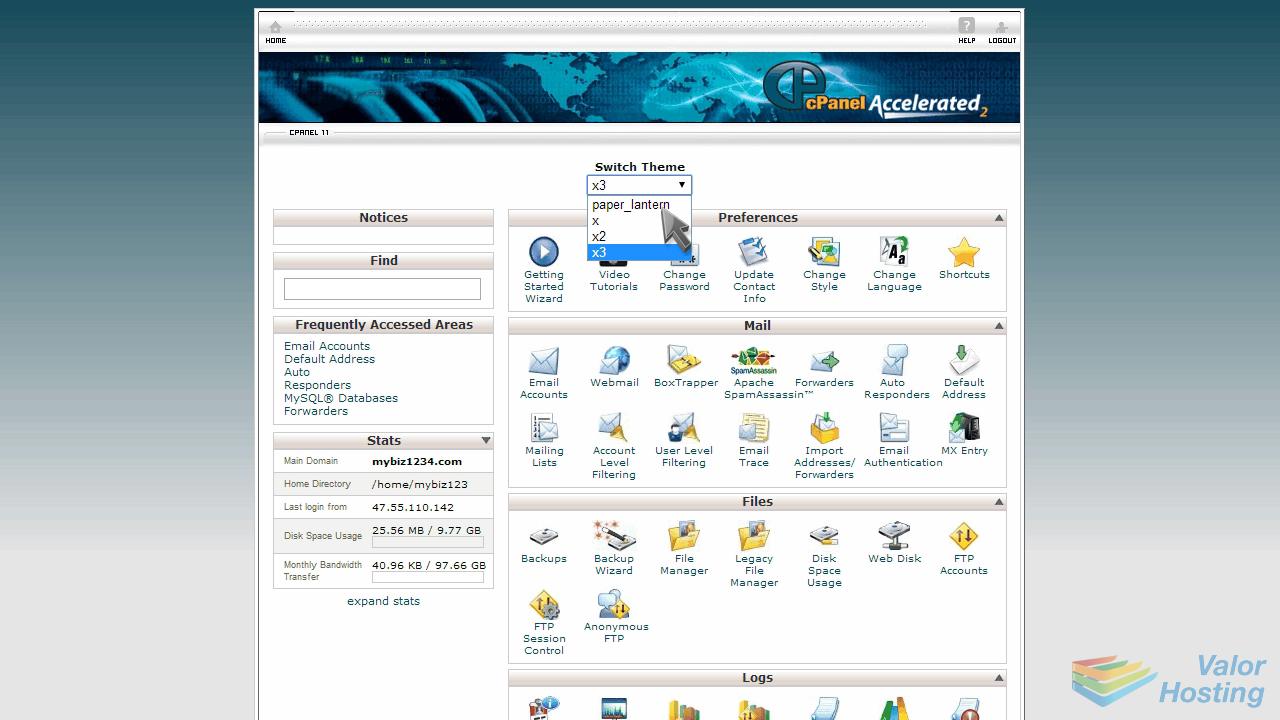
This is the end of the tutorial. You now know how to change the theme of your cPanel control panel.