
d5 cPanel server (and our client account portal) back online

The disruption at the European datacenter that was causing issues with our D5 cPanel server has been resolved. We apologise for any inconvenience caused.

We can confirm that there was no breach of customer data of any kind.

Websites that we transitioned to others servers will be migrated back to the d5 server over the next few days. You do not need to do anything.

2. Creating email account Print

  • OX, Enterprise Email, Business Email, Creating email account
  • 0

You will need to access the adminstration section for your Business or Enterprise Email in order to create email accounts.

Log into your client area at wpHost2go.com and select the relevant Business or Enterprise Email.
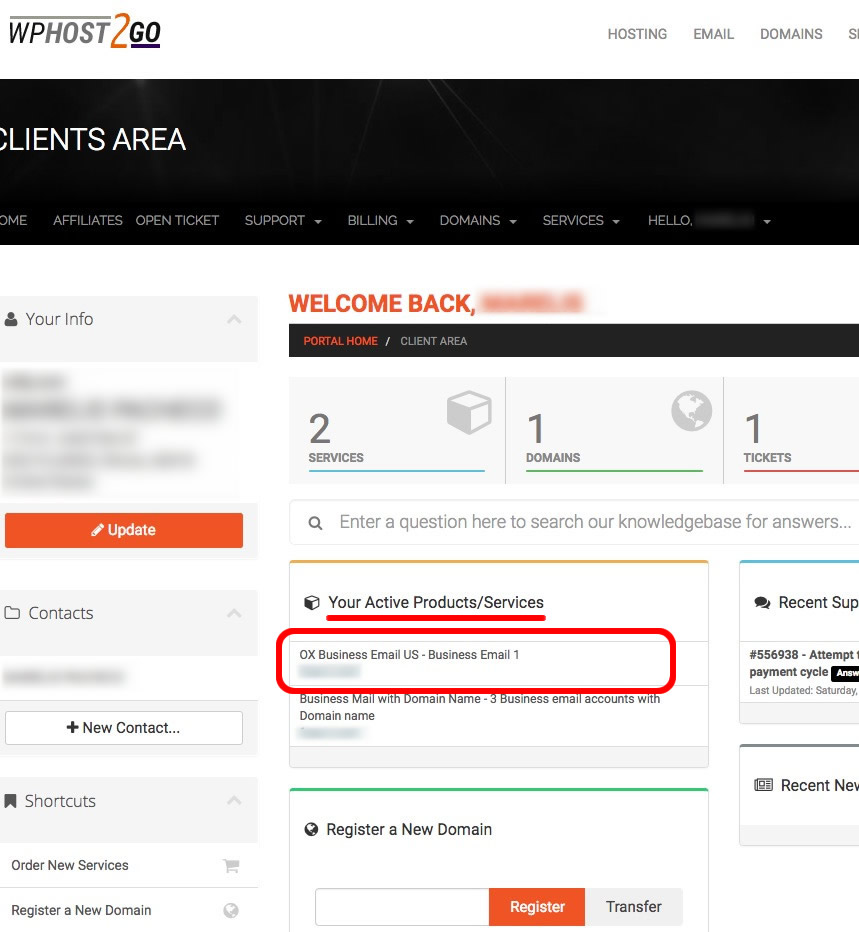
Accessing your OX email account


If you are already in the client area you might already be looking at  your services, in which case click on the relevant section.
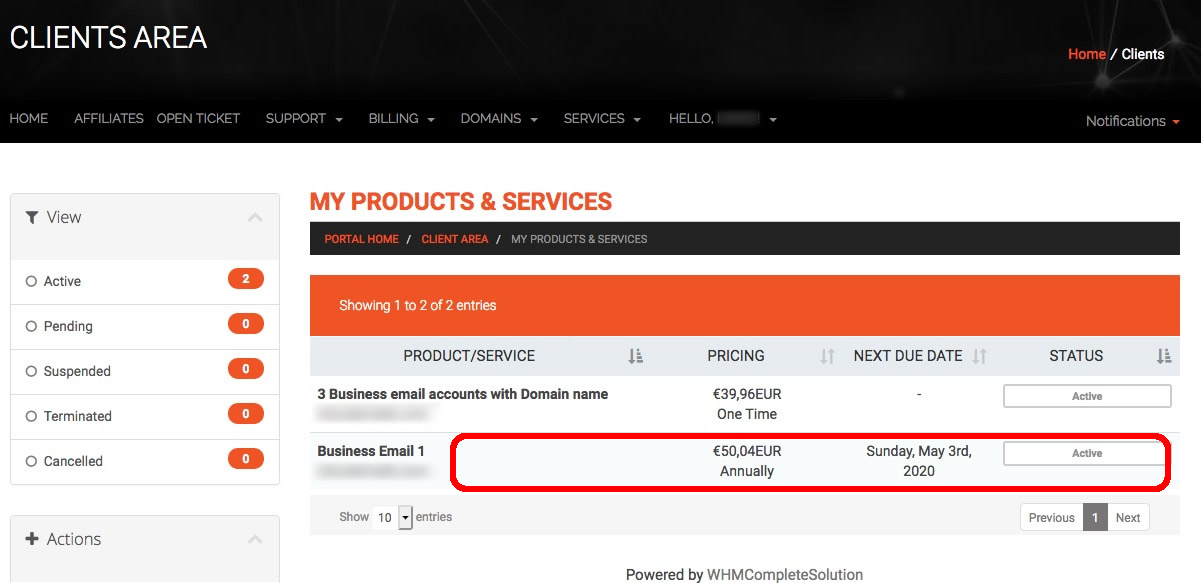


Accessing your OX email account


Creating email accounts

 When you have navigated to your email product then scroll down and you will find where you can create your email accounts.


The alternative email address is for the case where a user cannot remember their email address and need to request a password reset.
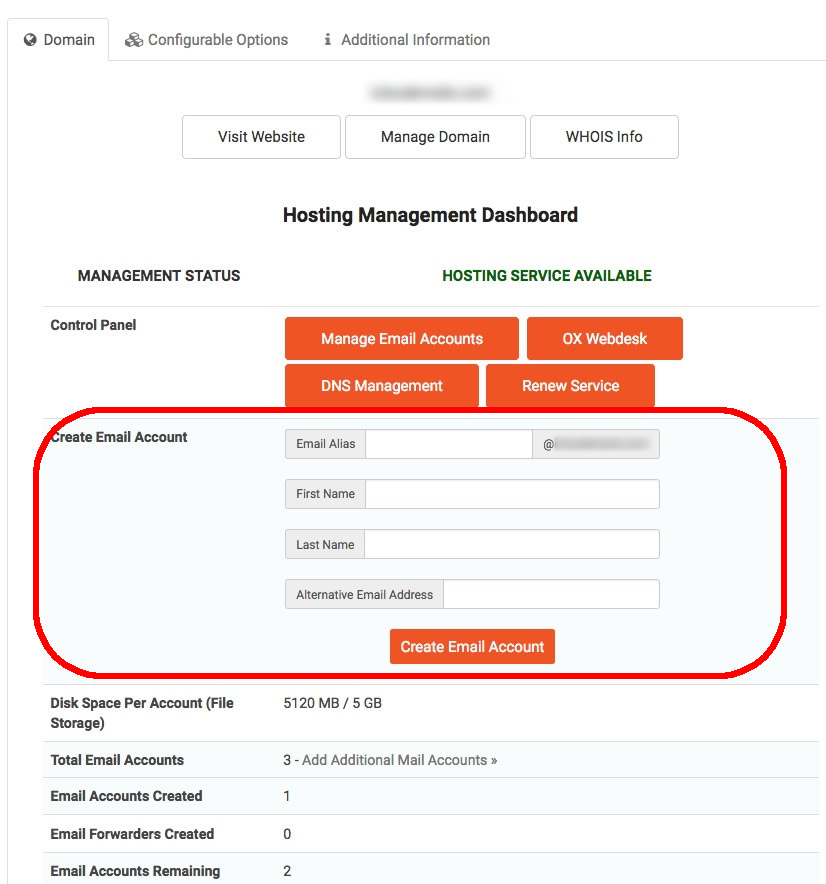

Creating your OX email addresses


Was this answer helpful?

« Back